 WP Maintenance Agency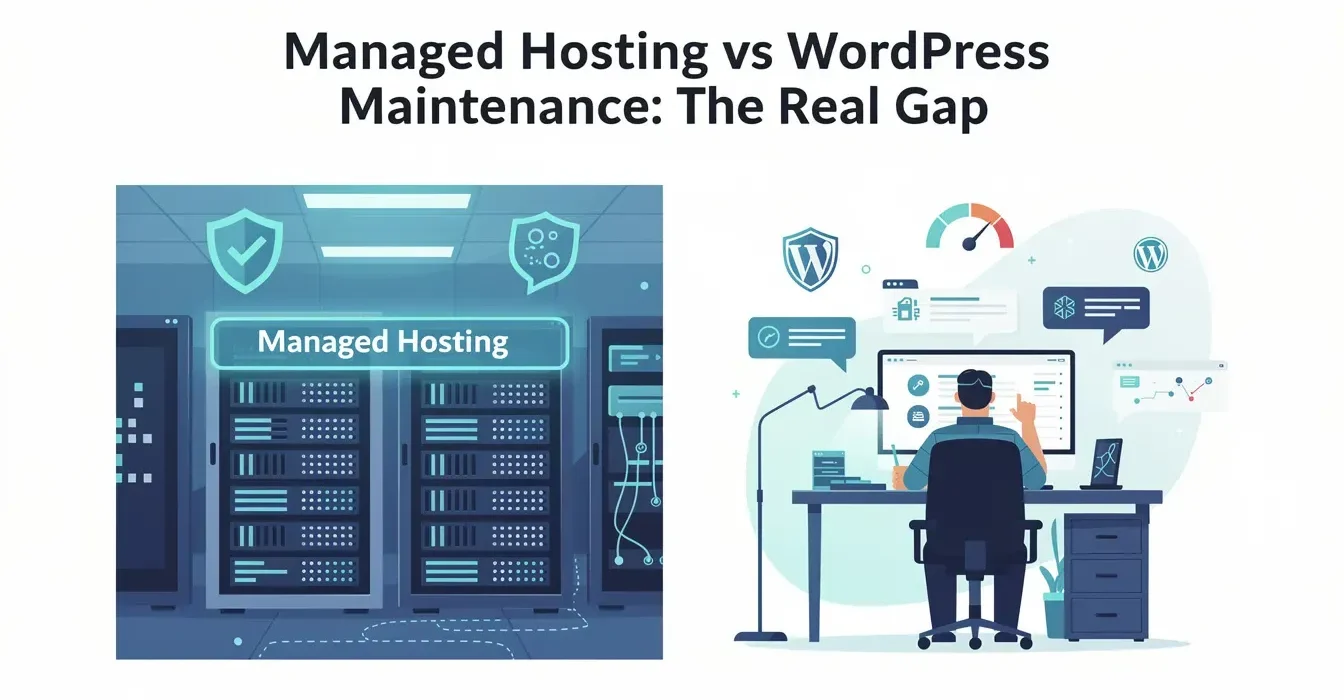
What “managed” actually means in managed WordPress maintenance
The word “managed” gets attached to two very different services, and the confusion costs site owners money. I have watched this play out hundreds of times over the past decade: someone signs up for managed hosting at WP Engine or Kinsta, assumes everything is handled, and then calls us six months later when their site breaks after a plugin update nobody was monitoring.
Managed WordPress hosting means the host manages your server infrastructure. Managed WordPress maintenance means someone manages your WordPress installation. One handles the house. The other handles what is inside the house. They overlap in a few places, but the gaps between them are where most site problems actually happen.
What managed WordPress hosts actually include
Credit where it is due. Managed hosts have gotten genuinely good at infrastructure. Here is what the major players provide in 2026:
WP Engine starts at $25/month for a single site. Every plan includes their EverCache server-level caching, Cloudflare CDN, daily backups with 40-day retention, a test environment, free SSL, and automated WordPress core and PHP updates. Plugin updates are not included by default. WP Engine sells Smart Plugin Manager as a paid add-on that adds automated plugin updates with visual regression testing and rollback.
Kinsta starts at $35/month for a single site with 25,000 monthly visits. Built on Google Cloud Platform with container-based isolation per site. Every plan includes Cloudflare Enterprise CDN, daily backups, a test environment, DDoS protection, WAF, free malware removal, and free migrations. Kinsta launched their Automatic Updates add-on in March 2025 at $3/month per environment, adding scheduled plugin and theme updates with visual regression testing.
Cloudways starts at $14/month with a different model. You choose your cloud provider (DigitalOcean, AWS, Google Cloud) and Cloudways manages the server stack. Includes SSL, a test environment, firewall, SSH access, monitoring, and daily backups. Their newer Autonomous product uses Kubernetes-based auto-scaling with Cloudflare Enterprise CDN. Plugin updates are fully manual.
These are solid hosting platforms. For pure infrastructure, any of them will outperform a $10/month shared host by a wide margin. The question is not whether they are good at hosting. It is whether hosting is all your site needs.
The gap between hosting and managed wordpress maintenance
Here is where the confusion gets expensive. I have rebuilt sites where the owner swore they had “full managed WordPress maintenance” because they were paying $35/month for Kinsta. They had excellent hosting. They had zero maintenance.
The practical gaps fall into six categories:
Plugin and theme update management. Most managed hosts either do not update plugins at all or offer it as a paid add-on. Even when they do, automated updates without a human reviewing the results miss the subtle breaks. A contact form that stops sending emails, a checkout flow that skips a step, a membership plugin that locks out existing users. Automated visual regression catches layout shifts but not functional failures.
Application-level security. Managed hosts provide a WAF and DDoS protection at the server level. They do not run WordPress-specific vulnerability scanners like Wordfence that check your individual plugins against CVE databases daily. Server-level security stops attacks from reaching your site. Application-level security catches compromises that have already happened inside WordPress.
Performance optimization. Your host gives you fast servers. They do not optimize your database, audit your plugin stack for bloat, compress your images, tune your caching configuration, or identify the specific plugin adding 2 seconds to your page load. Infrastructure speed and application speed are different problems.
Emergency application response. When your site breaks because of a plugin conflict or a bad update, managed hosting support will tell you it is a WordPress issue, not a hosting issue. They are right. Their support covers the server stack. An experienced engineer on a maintenance plan covers the WordPress installation.
Proactive monitoring and reporting. Hosting dashboards show server metrics. They do not generate monthly reports on what was updated, what vulnerabilities were patched, what performance trends look like, or what needs attention next month. The reporting gap means problems accumulate silently.
Development hours for small changes. Need a CSS fix, a form field added, or a plugin configured? Hosting support will not do that. Most maintenance plans include 30 to 60 minutes of monthly development time for exactly these small tasks that do not warrant hiring a developer.
Host-by-host feature comparison
The white-label post on this site has a brief managed hosting vs maintenance table. Here is a deeper breakdown by specific host, because “managed hosting” is not one thing. Each host covers different ground.
| Capability | WP Engine (from $25/mo) | Kinsta (from $35/mo) | Cloudways (from $14/mo) | Maintenance Service (typical $150-$250/mo) |
|---|---|---|---|---|
| WordPress core updates | Automatic | Automatic | Manual | Monitored with rollback |
| Plugin updates | Add-on (Smart Plugin Manager) | Add-on ($3/mo per site) | Manual | Included, monitored weekly |
| Theme updates | Add-on (bundled with SPM) | Add-on (bundled with auto-updates) | Manual | Included, monitored weekly |
| Pre-update snapshots | Yes (daily backups) | Yes (daily backups) | Yes (daily backups) | Yes, taken right before each update |
| Visual regression after updates | Add-on only | Add-on only | No | Included |
| Functional testing after updates | No | No | No | Yes, human-reviewed |
| Rollback from failed update | Manual restore from backup | Manual restore from backup | Manual restore from backup | Instant, under 60 seconds |
| Server-level WAF | Yes (Cloudflare) | Yes (Cloudflare Enterprise) | Basic firewall | N/A (works with existing host) |
| WordPress security scanning | No | No | No | Yes (Wordfence, daily scans) |
| Malware removal | Limited | Free on all plans | Not included | Included |
| CDN | Cloudflare (included) | Cloudflare Enterprise (included) | Cloudflare (Autonomous only) | N/A (works with existing host) |
| Performance optimization | Server-level caching only | Server-level caching only | Server-level caching only | Database, plugins, images, full-stack |
| Uptime monitoring | Yes | Yes | Yes | Yes, with engineer notification |
| Monthly reporting | Server dashboard | Server dashboard | Server dashboard | Custom report with recommendations |
| Development hours | Not included | Not included | Not included | 30-60 min/month typical |
| Assigned engineer | No (ticket-based support) | No (ticket-based support) | No (ticket-based support) | Yes, knows your site |
Read that table column by column and a pattern emerges. Managed hosts are strong on everything below the WordPress application layer: servers, CDN, SSL, backups, and uptime. They are weak or absent on everything above it: plugin management, security scanning, performance tuning, and human-reviewed changes.
When managed hosting alone is enough
I am not going to pretend every site needs a separate maintenance service. That would be dishonest. Some sites genuinely do fine with just managed hosting.
You probably only need managed hosting if:
- Your site has fewer than 10 plugins
- No ecommerce, no membership systems, no complex form integrations
- You or someone on your team can handle plugin updates once a week
- Your site is not your primary revenue source
- You are comfortable restoring from a backup if an update breaks something
A portfolio site on Kinsta with 6 plugins, a contact form, and a gallery? Managed hosting handles that well. The plugin update risk is low because there are few plugins to conflict with each other. The traffic is modest. The business impact of a few hours of downtime is minimal.
This is maybe 30% of WordPress sites. The other 70% have enough complexity that the gaps start to matter.
When you need both hosting and maintenance
The math changes fast once your site crosses certain thresholds. Here are the patterns I see repeatedly:
15+ active plugins. More plugins means more potential conflicts during updates. The probability of a silent break rises exponentially with plugin count. Automated updates without human review become a gamble.
Revenue-generating sites. If your site processes payments, captures leads, or books appointments, downtime has a direct dollar cost. The real cost of WordPress maintenance is always less than the cost of the incidents it prevents.
Sites with custom functionality. Custom themes, custom plugins, API integrations, third-party service connections. These do not update themselves, and when the plugins they depend on update, things break in ways that automated testing will not catch.
Multi-site environments. Managing updates across 5 or 10 WordPress installations multiplies the maintenance workload. Each site has its own plugin stack, its own conflict potential, and its own update schedule.
Compliance requirements. Healthcare, finance, education, government. These industries need documented maintenance logs, security audit trails, and verified backup testing. A hosting dashboard does not produce compliance documentation.
The cost math for adding maintenance to managed hosting
This is where site owners get stuck. You are already paying $35-$100/month for managed hosting. Adding $150-$250/month for maintenance feels like doubling your costs.
Frame it differently. You are paying for hosting because you need servers. You would pay for maintenance because you need someone to manage the application running on those servers. These are two different jobs.
The actual calculation:
- Managed hosting: $35-$100/month for infrastructure
- Plugin update add-ons at your host: $3-$15/month (Kinsta, WP Engine SPM)
- Still missing: security scanning, performance optimization, development hours, human review, monthly reporting, assigned engineer
Or:
- Managed hosting: $35-$100/month for infrastructure
- Maintenance service: $150-$250/month for everything the host does not cover
The maintenance service replaces the plugin update add-on and adds everything else. For a business site generating revenue, the $150-$250/month is insurance against incidents that cost $500-$2,000+ each. One prevented incident per year and the service pays for itself.
Understanding why WordPress maintenance matters at a fundamental level makes this math clearer. The question is not “can I afford both?” but “can I afford the gap between what my host covers and what my site needs?”
What to check on your site right now
Instead of taking anyone’s word for it, audit your own setup. Log into your managed hosting dashboard and your WordPress admin, then answer these questions:
- How many plugins do you have installed? (Settings > Plugins in wp-admin)
- When was the last time every plugin was updated? (Check the dates)
- Does your host update plugins automatically, or are you responsible?
- Do you have a WordPress-level security scanner running? (Not your host’s WAF, a plugin like Wordfence)
- When was the last time someone optimized your database?
- If a plugin update broke your site right now, how long would it take you to notice?
- How long would it take to fix it?
If the answers make you uncomfortable, you have identified the gap. A WordPress maintenance checklist can help you see exactly what tasks fall outside your hosting provider’s coverage and what a maintenance service would handle.
Your managed host is not failing you. It is doing its job. The question is whether its job covers everything your site actually needs. For simple sites, it does. For everything else, managed WordPress maintenance fills the space between good infrastructure and a WordPress site that actually stays healthy.
Frequently Asked Questions
Not completely. Managed hosts like WP Engine and Kinsta handle server infrastructure, automated backups, and core updates. They leave gaps in plugin conflict resolution, visual regression monitoring after updates, performance optimization, and application-level emergency response. Whether you need both depends on your site complexity and how many plugins you run.
For a brochure site with fewer than 10 plugins, no ecommerce, and no complex integrations, managed hosting alone is often sufficient. The host handles backups, core updates, and server security. You still need to update plugins yourself, but the risk of conflicts is low on simple sites. Add a maintenance service when your site generates revenue or runs 15 or more plugins.
A dedicated maintenance service covers monitored plugin and theme updates with instant rollback, visual regression testing after changes, application-level security scanning with Wordfence, performance monitoring and optimization, monthly reporting, development hours for small changes, and an assigned engineer who knows your site. Managed hosts focus on infrastructure. Maintenance services focus on your WordPress installation.
Not sure if your hosting covers enough?
Get a maintenance plan that fills the gaps your managed host leaves open.